Use git cherry-pick to bring in just the commit you need
Cause: Merging an entire branch when you need only one fix can also bring in unfinished changes.
Fix: Review the selected commit's diff, then apply it to your current branch with cherry-pick. In this example, feature~1 is the commit one step before the tip of feature.
git show feature~1
git cherry-pick feature~1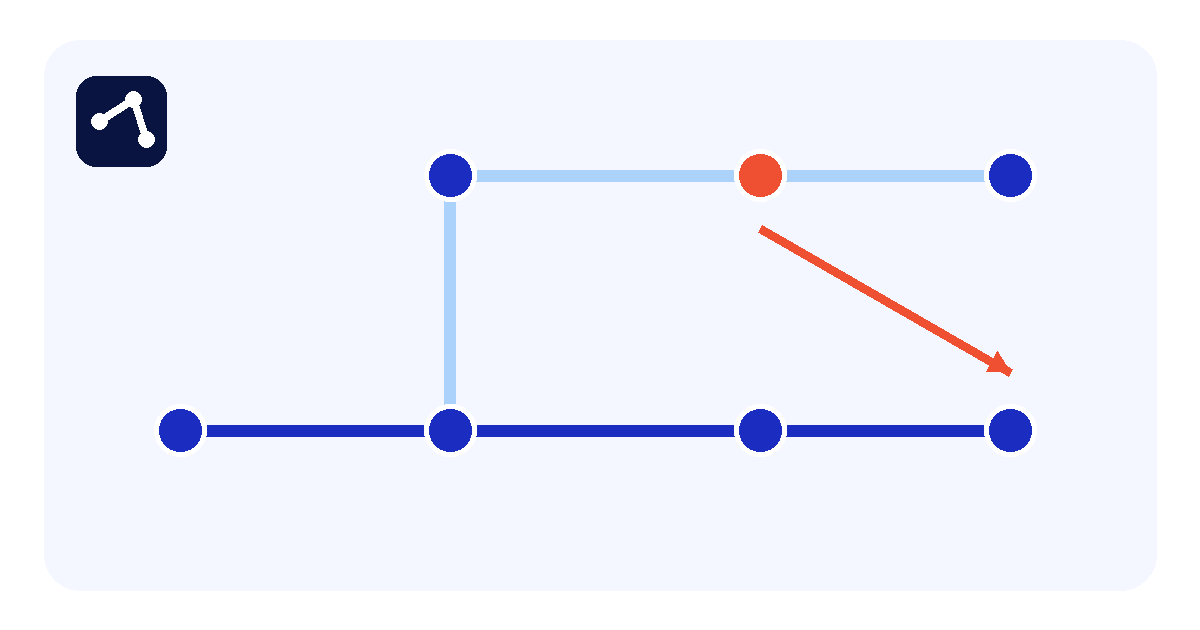
These screenshots show the actual commands and results. Select an image to open it at full size. On small screens, scroll sideways inside a wide image.
1. Check the selected commit and changed files
Switch to the destination branch and set aside any work in progress, then choose the commit to apply.
git log feature --oneline -2
git show --stat feature~1
On feature, Fix score is followed by Add experiment. Since only the score fix is needed, select feature~1, one commit before the tip of feature. In your project, replace this reference with a commit ID you have checked. Besides checking the file list, read the code diff with git show and check for dependencies on earlier commits or other files.
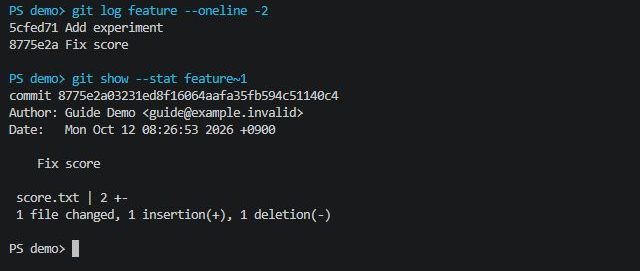
Expected resultThe score fix and experiment addition are separate commits, and the selected fix changes the score file.
2. Apply only the selected commit's changes
Confirm the current branch and selected commit, then run:
git cherry-pick feature~1Cherry-pick applies the selected commit's changes on top of the current branch and creates a new commit. This capture shows Fix score added to main. If conflicts occur, resolve the files, stage them with git add, and proceed with git cherry-pick --continue. To cancel the operation, use git cherry-pick --abort.

Expected resultA Fix score commit is created on the current main branch.
3. Check that only the intended fix was added
Check the commit history and file list, then test the functionality.
git log --oneline -3
git ls-files
git status --short --branch
This capture shows main's documentation change below Fix score, with README and score in the file list. The score file contains score=1, and the experiment file was not brought in. Check that the applied code works before continuing. If it depends on other changes, review which additional changes are needed.
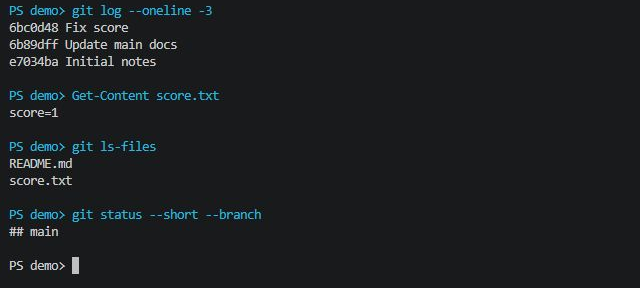
Expected resultOnly the score fix is applied, and main's existing documentation change is preserved.
References
Another Git problem?
Trace file history and renames with Git log →