Compare staged changes and working files with Git diff
Cause: If you edit a file again after running git add, the working file can differ from what will go into the commit.
Fix: Check additional edits with git diff and staged changes with git diff --cached.
git diff --cached -- notes.txt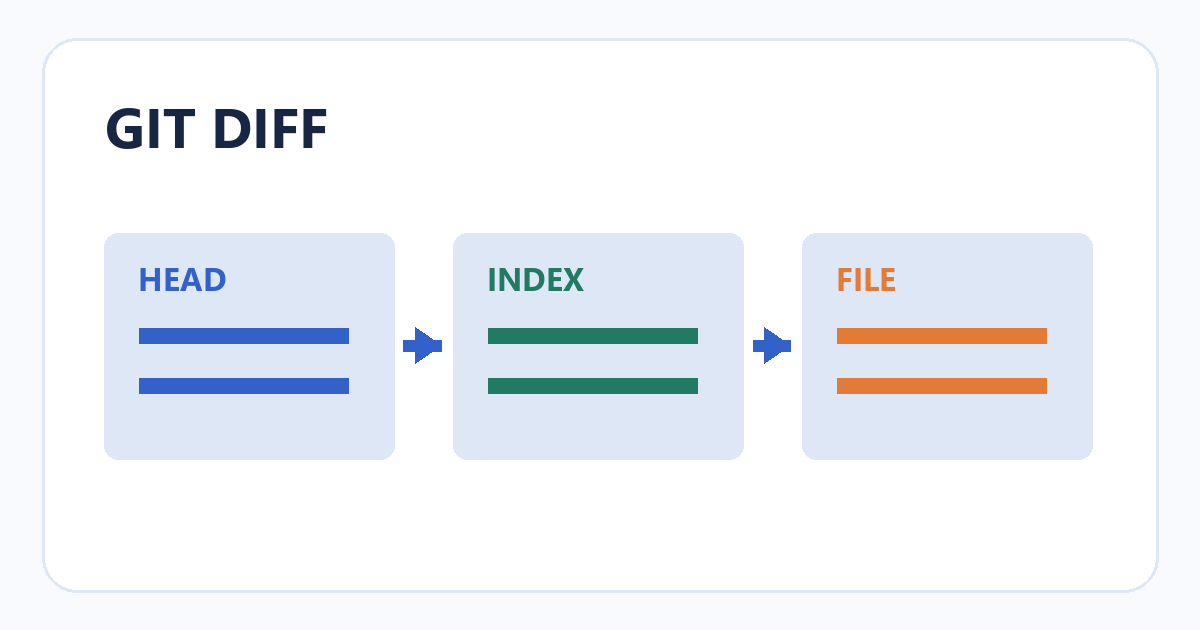
These screenshots show the actual commands and results. Select an image to open it at full size. On small screens, scroll sideways inside a wide image.
1. Check changes that are not yet staged
Run the commands below in your repository folder. In this example, notes.txt contains color=blue in the commit, color=green in the staging area, and color=red in the working file.
git status --short
git diff -- notes.txt
In MM notes.txt, the first M means staged changes, and the second M means subsequent changes to the working file. git diff compares the staging area with the working file, so it shows green changing to red. The -- before the file path separates options from file paths.
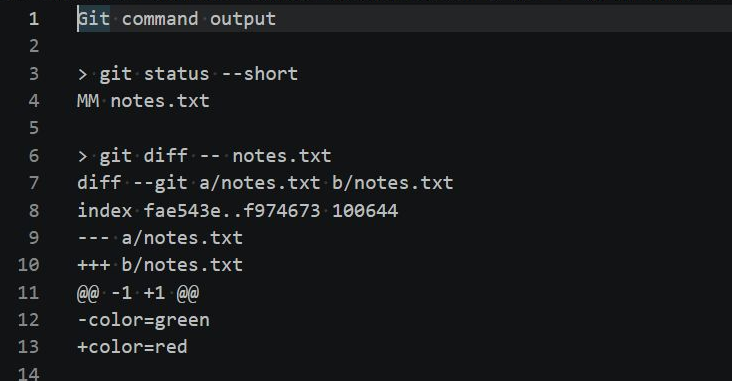
Expected resultThe working file changes appear as -color=green and +color=red.
2. Check changes that will go into the commit
Use the command below to compare the current commit with the staging area.
git diff --cached -- notes.txt--cached is the same option as --staged. This output shows blue changing to green. The working file's red is not included because it has not been staged yet.
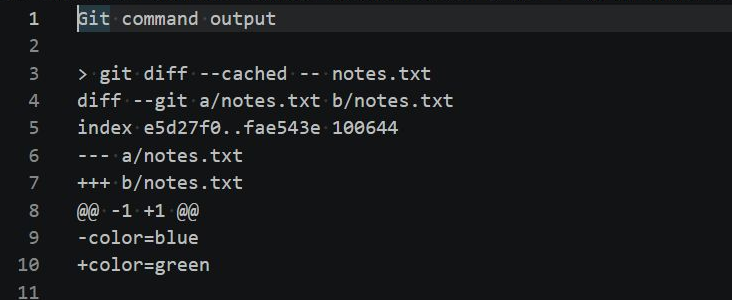
Expected resultThe staged changes appear as -color=blue and +color=green.
3. Compare all changes against the current commit
Run the commands below to see the overall changes.
git diff HEAD -- notes.txt
git status --short
git diff HEAD compares the current commit with the working file, showing blue changing to red. The three comparison commands only display information, so the status remains MM. Before committing, check git diff --cached again. Update the staging area with git add notes.txt only if you want to include the working file's latest contents in the commit.
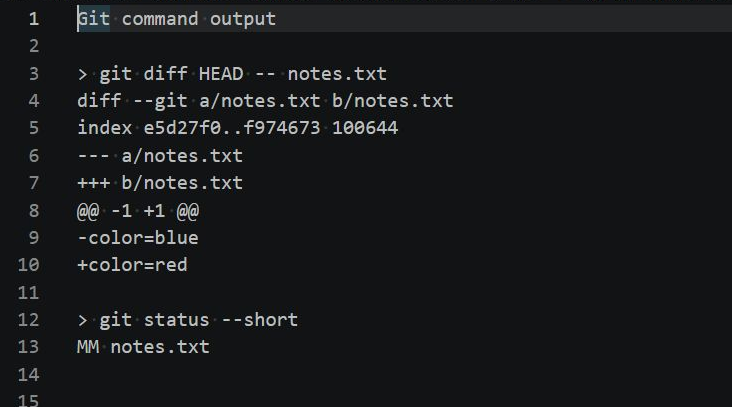
Expected resultThe overall change is from blue to red, and the MM status remains unchanged.
References
Another Git problem?
Undo git add without changing file contents →